





Digital Banking > App Banking
App Banking that suits your need

Union ease
Union Bank of India, a trusted name in the banking industry, proudly announces the official rebranding of its mobile banking application. The app, previously known as VYOM, is now Union ease, featuring a modern logo, refreshed design and enhanced user experience. The hitherto “VYOM” will be rebranded to “Union Ease”.

The transition of the mobile banking application branding from VYOM to Union ease marks a strategic move to create a stronger, customer centric identity that resonates with simplicity, trust, and ease of banking.
Union e-biz
About Union e-biz
Launched as Union Bank of India’s dedicated Business Banking solution on Union Bank of India Foundation Day i.e., 11th November 2025, Union e-biz is designed to empower Individual and Sole Proprietor Businesses with a seamless, secure, and efficient digital banking experience. Built as part of the Bank’s ongoing digital transformation journey, the app focuses on simplifying business financial management through a single, unified platform.
Union e-biz reflects the Bank’s vision of enabling businesses with smart, scalable, and accessible digital solutions. It brings together payments, collections, lending, and account management into one integrated ecosystem, helping enterprises streamline operations and improve financial control.
With Union e-biz, businesses can go beyond traditional banking and access a comprehensive suite of services anytime, anywhere. From managing bulk payments and collections to handling user access controls and business compliance, the app ensures agility, transparency, and convenience in every transaction.
Packed with powerful features like role-based access, maker-checker workflows, real-time insights, and digital onboarding, Union e-biz is built to support growing business needs. Whether you are a sole proprietor or an expanding enterprise, it serves as a reliable partner to manage, monitor, and scale your business finances effortlessly.
Union e-biz – Wide Range of Features (MSME App)
- Business Account Dashboard: View current account, CC/OD accounts, balances, and transactions in one place.
- Role-Based Access Control: Create users, assign roles, and manage maker-checker workflows securely.
- User & Profile Management: Easy user creation, modification, and profile updates for business operations.
- Bulk & Group Payments: Make salary, vendor, and bulk payments with file upload and approval workflows.
- Fund Transfers: Transfer funds via NEFT, RTGS, IMPS with scheduling and standing instructions.
- Approvals: Approve or track transactions seamlessly with maker-checker controls.
- Collections Suite: Accept payments via POS, mPOS, QR codes, and payment links.
- QR & Payment Link Generation: Instantly generate and share QR codes and payment links for collections.
- Collection Dashboard: Monitor collections, settlements, and real-time business cash flow.
- Cheque Services (Maker-Checker Enabled): Enquiry, cheque book request, stop payment, Positive Pay, and limit setting.
- Digital Cards: Manage Debit Cards, Credit Cards, and create Virtual Cards for secure transactions.
- Loans & Borrowing: Apply for business loans and access credit facilities digitally.
- Business Onboarding & Compliance: Add GST, Udyam, LEI, and complete re-KYC/VKYC seamlessly.
- Business Insights & Analytics: Track cash flow, transactions, and business trends with real-time dashboards.
- Registration & Access: Simple 3-step digital registration with secure login and biometric authentication.
- Customer Support & Services:
- Locate Branch/ATM
- Check KYC status
- Reset login & transaction PIN
- Contact call center & grievance redressal
- View CKYC details
- Certificates & Requests: Download balance certificates and other business documents instantly.
- Secure & Seamless Banking: Advanced security with maker-checker controls for safe transactions.
- 24x7 Business Banking: Manage payments, collections, and accounts anytime, anywhere.
- Scan the below QR Code to Download the Official App
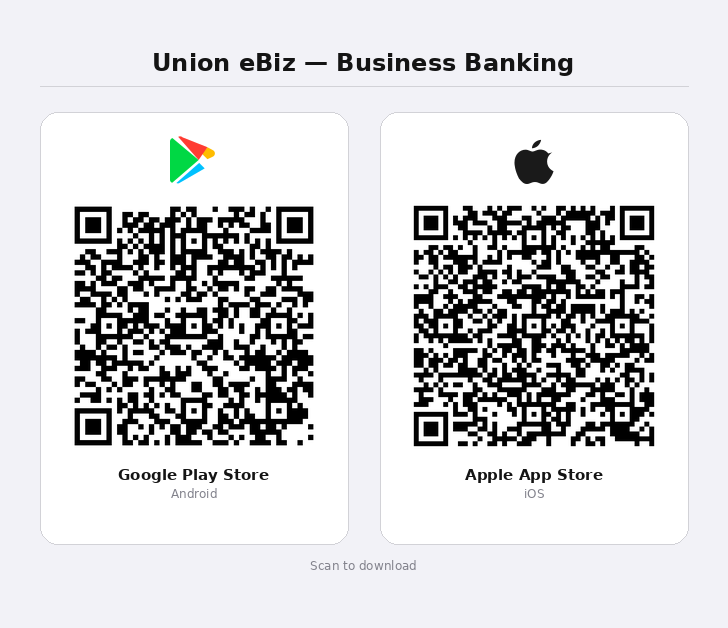
- Click on the below link to Download the Official App

Union Credit Card
Union Credit Card App lets cardholders manage all their Union Bank of India credit cards from a single mobile application. Cardholders need to install the app in their smartphone.
One-time registration will enable you to manage the card in various ways. Some of facilities provided in the app are as under:
- Account Summary
- View Statement
- Transaction Details
- Card Control
- PIN Generation
- Manage Card
- Virtual Card
- Service Request
- Payment
and much more….
Union Credit Card App is available on Google Play Store and Apple Store.


BHIM Aadhaar
DIGITAL BANKING DEPARTMENT
BHIM Aadhaar Pay was launched by government of India on 14th April, 2017 as a merchant based mobile application for accepting payments from customers. It is a mobile based application wherein a merchant receives payment from the customer after biometric authentication of customer is successful. The payment can be made against any goods or services availed by the customer from the merchant. Under this product, any customer availing goods or services from a merchant and having any bank account linked to his/her Aadhaar can make payments for the goods or services availed. The customer’s account is debited and merchant receives payment only after the successful authentication of customer’s biometrics from UIDAI.
BHIM Aadhaar Merchant Incentive Scheme
Merchant Incentive Scheme (maximum incentive up to Rs. 2000/- every month)
BHIM Aadhaar Pay App user who has declared himself/herself as Merchant and is receiving payments via BHIM Aadhaar app will be eligible for an Incentive of 0.5% of the transaction value with minimum incentive as Rs.2 and upper cap of Rs.50 per Transaction. Maximum transaction limit is Rs10, 000/- only.
The incentive scheme is valid till 31-03-2019.
Click here to download our App

Union Virtual Connect
Union Virtual Connect (UVConn) is available on Bank’s Official WhatsApp
Number 9666606060

1. Union Virtual Connect (UVConn):
UVConn is an innovative way for the customers to remotely access the banking services seamlessly using WhatsApp Chat messenger. UVConn leverages WhatsApp communication platform to connect with customer for enquiries related to their accounts. UVConn is currently Live in 7 languages English, Hindi, Telugu, Kannada, Marathi, Bangla and Tamil.
The list of services currently available in UVConn under different modules are as under:
| Account Services | Govt & Tax Services | Debit Card Services | Credit Card Services | Cheque Services | Loan Services | Other Services | Account Settings | ||
|---|---|---|---|---|---|---|---|---|---|
|
Account Balance |
Form 16/16A |
Block Debit Card |
Credit Card Bill Due |
Cheque Status |
Home Loan |
Door Step Banking |
Reset MPIN |
||
|
Mini Statement |
Form 15G/H |
Unblock Debit Card |
Block Credit Card |
Stop Cheque |
Personal Loan |
ease Application |
Reset TPIN |
||
|
Locker Rent Enquiry |
PPF Balance |
Set Green Pin |
Unblock Credit Card |
Cheque Book Request |
Gold Loan Calculator |
Apply For a Loan |
Forgot TPIN |
||
|
Account Statement |
SSA Balance |
Debit Card Limit |
Card Statement |
Positive Pay |
MSME Loan Details |
EMI Calculator |
De-Register |
||
|
My Account Details |
Pension Slip |
Debit Card Hotlist |
Set Green Pin |
|
Education Loan |
Interest Rates |
Change Language |
||
|
Balance Certificate |
PPF Statement |
Apply Debit Card |
Apply Credit Card |
|
Vehicle Loan |
Holiday Calendar |
|
||
|
Account Freeze |
SSA Statement |
Add Secondary Account |
|
|
Home Loan Int. Cert. |
Link Aadhaar Number |
|
||
|
Account Unfreeze |
|
|
|
|
Mudra Loan |
Account Opening |
|
||
|
Interest Certificate |
|
|
|
|
Edu Loan Int Cert |
Nomination Details |
|
||
|
Re-KYC |
|
|
|
|
|
Spin n Learn |
|
||
|
Transaction Dispute |
|
|
|
|
|
Cyber Security Tips |
|
||
|
Deposit Details |
|
|
|
|
|
ATM Search |
|
||
|
|
|
|
|
|
|
Branch Search |
|
||
|
|
|
|
|
|
|
SMC Online Account |
|
||
|
|
|
|
|
|
|
NPS Online Account |
|
||
|
|
|
|
|
|
|
Disability Support |
|
||
|
|
|
|
|
|
|
Grievance Redressal |
|
||
|
|
|
|
|
|
|
Account & Deposit Products |
|
||
|
|
|
|
|
|
|
Retail Loan Products |
|
||
|
|
|
|
|
|
|
MSME Loan Products |
|
||
|
|
|
|
|
|
|
Agri Business Products |
|
||
|
|
|
|
|
|
|
Gold Loan Products |
|
||
|
|
|
|
|
|
|
Chat with UVA |
|
||
2. Vital Information:
2.1 The Registered Mobile number in CBS only can only be used for availing all the services of UVConn.
2.2 Un-registered Mobile Number can be used to avail the Other Services of UVConn.
2.3 Bank’s Official WhatsApp number to be saved in phone directory for UVConn 9666606060. Bank has opened an Authenticated Business Account with WhatsApp. The authentication of number can be determined with an official blue tick on WhatsApp chat window, after saving the number with name in contact list.

2.4 User need to send “Hi” on Banks official WhatsApp number (9666606060) for registering into Union Virtual Connect (UVConn).
2.5 After completion of Registration process, user needs to send “Hi” once again to initiate journey of UVConn.
2.6 User need to select the respective Menu for the desired services.
2.7 For accessing Main Menu during UVConn journey, user need to input “Menu” to go back to main menu.
2.8 To log out from the UVConn at any stage of the user journey, user need to input “Exit”.
2.9 After sending “Exit”, User will be requested to provide Feedback.
2.10 UVConn Services are available for Domestic as well as NRI customers.
3. Registration/De-Registration/Re-Registration Process in UVConn:
The process for Registration, De-Registration and Re-Registration is defined here below.
3.1 Registration Process: User having Registered Mobile Number with the Bank CBS, can type ‘Hi’ on Union Bank of India`s Official WhatsApp number i.e. 9666606060. User will get an OTP and on inputting the OTP, system will authenticate OTP. After authentication of the OTP, system will redirect to URL in WhatsApp messenger where the customer needs to set MPIN and TPIN and agrees to the Terms & Conditions. Once the user sets the MPIN and TPIN, the process of Registration gets completed.
3.2 De-Registration Process: In case if the user want to De-Register from UVConn, the modes available to the user are:
- Self De-Registration through UVConn :User need to visit Account Settings -> De-Register option to De-Register from UVConn
- By sending an email: In case mobile is lost, user can send an email communication informing Mobile number to customercare@unionbankofindia.bank for De-Registration.
3.3 Re-Registration Process: Customer who had De-Registered can do Re-Registration by sending ‘Hi’ to WhatsApp number 9666606060 and completing the process of Registration by setting MPIN, TPIN and accepting Terms & Conditions.
4. Security Aspects:
4.1 UVConn is enabled with 3 Factor Authentication (OTP, MPIN & TPIN) in order to ensure that usage of product is secured. The User is required to validate OTP and then setting up MPIN & TPIN.
4.2 OTP is required for validation of Registered Mobile Number. This enables User to Onboard/Register to UVConn.
4.3 MPIN is required when User has to login and access services related to Account Services, Govt & Tax Services, Cheque Services, Credit Card Services, Debit Card Services, Loan Services, Other Services & Account Settings.
4.4 TPIN is required when User has to access services related to Financial Services which will be rolled out in future phase of UVConn.
4.5 During the process of onboarding, while setting MPIN and TPIN User need to click on Terms & Conditions link for reading the same and accept for proceeding further in the UVConn journey.
4.6 During the on-boarding process, User needs to set MPIN and TPIN both. But for the present services enabled in UVConn, system will not insist for TPIN. TPIN requirement will be there after the launch of financial services through UVConn.
4.7 The User has to use the fingerprint lock/screen lock setting (‘Settings -> Privacy -> Fingerprint/Face Lock feature). This setting act as an ‘Application Lock’ over and above the mobile device lock which will be required to unlock the WhatsApp application. In case user has left the device unlocked, the setting will prevent unauthorized access to WhatsApp and the Finger/Face of the mobile owner will be required to unlock the WhatsApp application.
4.8 The User has to use Two Step verification method of WhatsApp (Setting -> Two Step Verification-> Enable) so that the fraud such as SIM cloning can be avoided. With this setting enabled, if a user registers his number on Whatsapp again on another or new device, the user will be asked to enter the PIN which he has set while enabling this feature first time.
4.9 After the completion of every Enquiry, system will populate message “Please clear your chat history to maintain confidentiality”. It is suggested that User delete the chat history on regular basis so that the old chats are not visible to any person other than the Registered customer.

UPI
Welcome to the world of convenience and simplicity! Union Bank of India presents UPI in Union ease App, a revolutionary solution that transforms the way you bank. Say goodbye to long queues, complicated transactions, and endless paperwork. With our user-friendly UPI feature in Union ease App, you can effortlessly manage your finances, make secure payments, and enjoy a seamless banking experience right from the palm of your hand. Experience the power of digital banking like never before with the Union Bank of India UPI feature in Union ease App.
Union Voice Assistant – Union Bank of India Voice Banking

Union Voice Assistant (UVA): UVA is an innovative way for customers to remotely access banking services seamlessly through voice commands. UVA leverages Alexa platform to connect with customers. The following features are available for customers:
- Balance Enquiry
- Mini Statement / Transaction History
- Debit Card Block
- Debit Card Unblock
- Locker Rent Overdue
- Cheque Book Request
- Cheque Status
- Account Statement by Email
- Credit card bill due
In addition to this, customers can keep themselves updated regarding the latest offers & products launched by the bank.
The application has been discontinued as on 15.11.2025. However, customers can continue to access our banking services through alternate channels such as ease app or WhatsApp by saying Hi on 9666606060.

Digital Rupee
Central Bank Digital Currency (CBDC) – a revolutionary step towards modernizing the financial landscape. CBDC – Digital Rupee (e₹) is a digital form of fiat currency, issued and regulated by the RBI. In this case, Union Bank of India is at the forefront of embracing this cutting-edge digital currency technology.
With e₹, Union Bank of India aims to transform traditional banking and payment systems, offering a secure, efficient, and inclusive financial ecosystem. By leveraging blockchain technology, e₹ enables seamless and instantaneous transactions, eliminating intermediaries and reducing settlement times.
Union Bank of India's e₹ ensures robust security measures, protecting users from fraud and ensuring the integrity of transactions. As an accessible digital currency, e₹ opens doors to financial inclusion, making banking services available to a wider population, including those without traditional bank accounts.
Stay tuned to explore the exciting features, advantages, and possibilities that Union Bank of India's e₹ brings to the financial world. Discover how this innovative digital currency will shape the future of payments, streamline financial operations, and empower individuals and businesses alike.
Download Digital Rupee by UBI:


Digital Rupee (e₹) App by UBI
Digital Rupee (e₹) app by UBI is now available in Pilot mode on Playstore and Appstore to the Union Bank of India customers. Digital Rupee app provides facility of Digital Wallet where you can hold your digital rupee for making payments. Digital rupee wallet offers functionalities like:
- Load: This functionality will help the user to load digital currency in their Digital Rupee Wallet.
- Send (Transfer): This functionality will help the user to transfer digital currency from their Digital Rupee Wallet to any user having a Digital Rupee Wallet.
- Collect (Receive): This functionality will help the user to request for digital currency from any other Digital Rupee Wallet holder.
- Redeem: This functionality will help the user to redeem digital currency in their Digital Rupee Wallet and credit the equivalent amount to their linked Bank account.